MA.inStrain
Digital image correlation and test evaluation
An integrated analysis process extending from raw image data to strain mapping, material characterization, and reporting. It operates offline in a standard Windows environment to ensure data security. Thanks to its linear, step-by-step workflow, every stage of the test is systematically logged by the system.
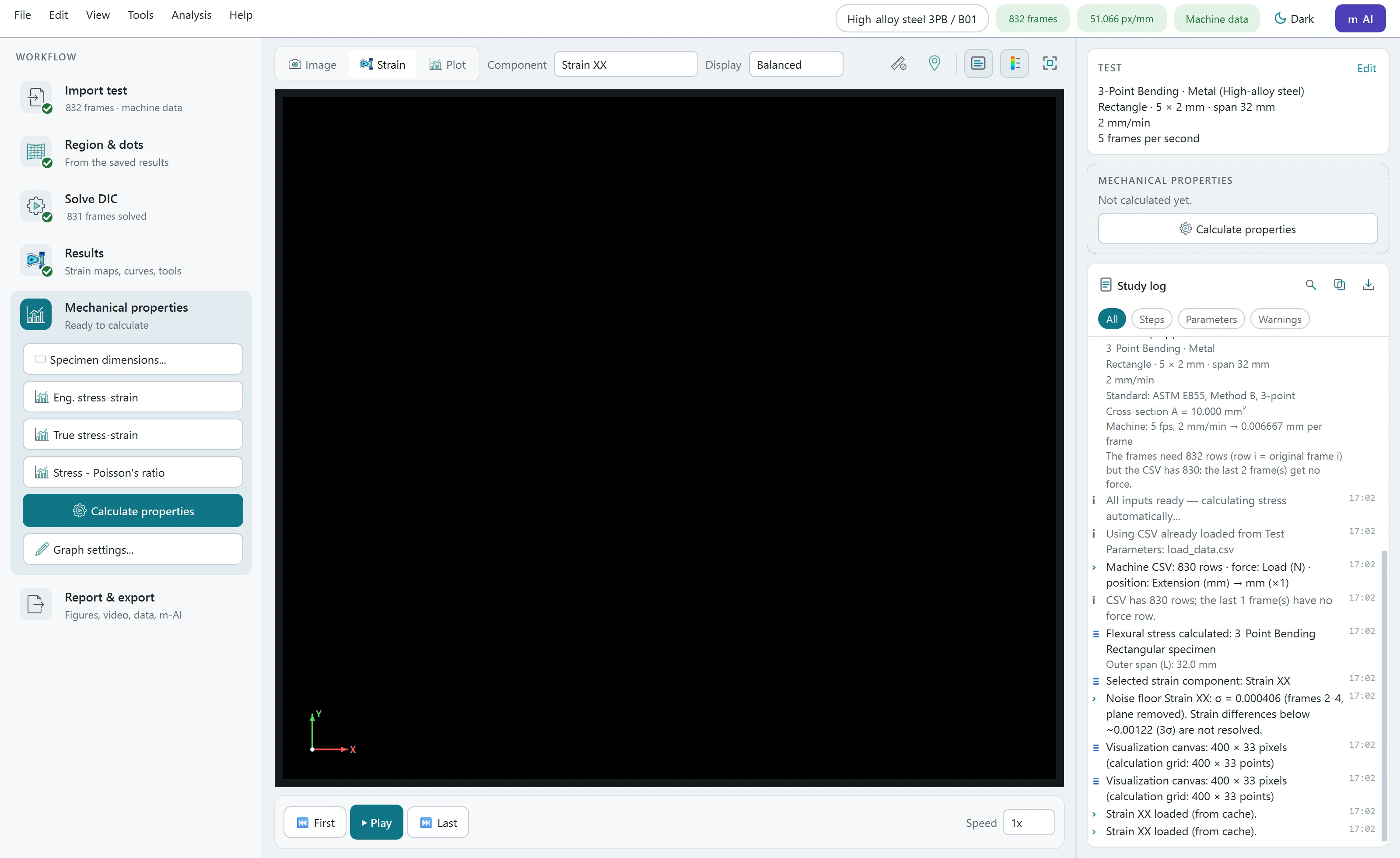
Workflow
- 01Import the test
- 02Test setup
- 03Frame range
- 04Image preprocessing
- 05Region of interest
- 06Dot grid
- 07DIC settings
- 08Solve, with live view
- 09Visualise
- 10Plots
- 11Properties
- 12Export
Tracking and solver
- High-precision measurement capabilities with sub-pixel accuracy, powered by an advanced data solving infrastructure designed to capture micro-scale movements.
- Sub-pixel tracking and rigid-body motion removal
- Lighting flicker correction between frames
- Live view of the tracked dots and the strain map while the solver runs
- Resume an interrupted calculation; frame reduction for long tests
Strain
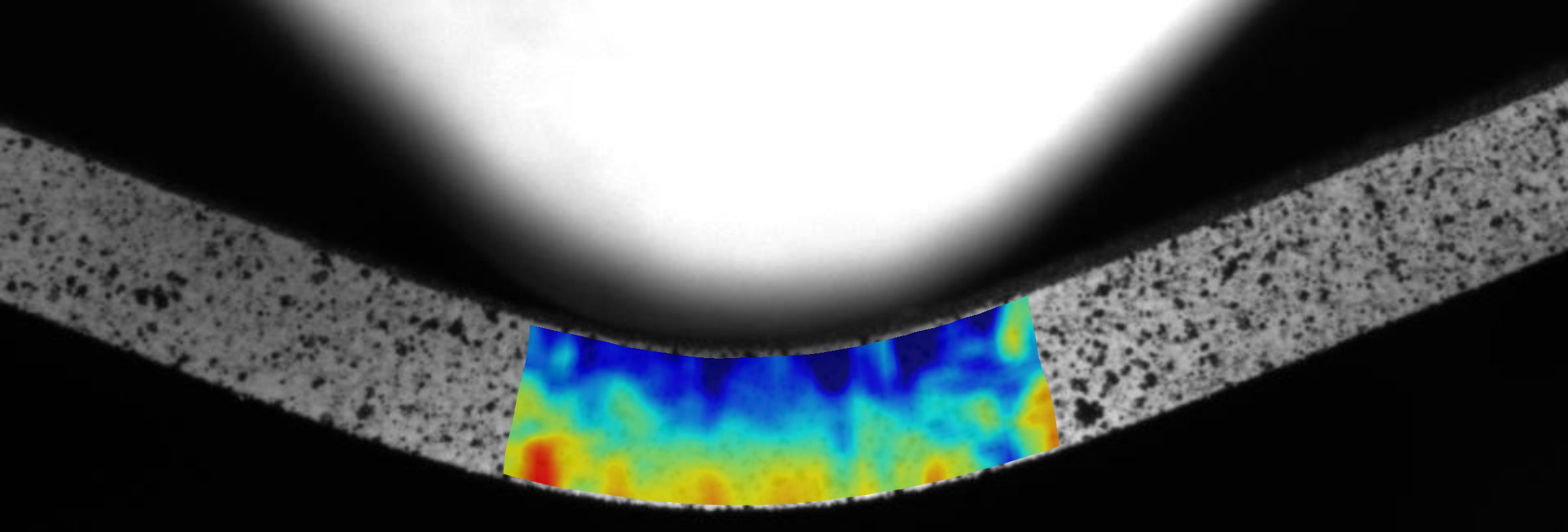
- εxx, εyy, γxy, principal strains ε1 / ε2, maximum shear, von Mises equivalent strain
- Logarithmic (Hencky), Cauchy or second-order strain measure
- Displacement fields u and v
- Virtual extensometer: gauge-length change over the tracked grid
- Noise floor reported per strain component
Mechanical properties
- Engineering and true stress–strain curves
- Young’s modulus with R², 0.2 % offset yield strength, tensile strength and strain at Rm
- Poisson’s ratio following the method of ASTM E132
- Flexural stress, strain and modulus following the method of ASTM D790
- Adjustable fitting range with a live preview
Analysis tools
- Strain along a line in millimetres; region statistics as a virtual strain gauge
- Value at the cursor, principal strain directions, distance and angle
- Material point tracking through the whole test
- Remove an unreliable zone as a reversible edit
Cracks and fracture
- Crack zones masked on the strain map, crack opening displacement
- Crack-tip marking and tracking, strain energy density
- Apparent stress intensity factor, J-integral and R-curve
Output
- Publication-ready figures in PNG, TIFF, PDF, SVG and EPS
- Video or animated GIF of the strain evolution
- Per-frame strains, stress and properties as CSV
m-AI report
On-premise AI reporting module. It provides comprehensive test interpretations with a single click, accompanying the software’s measurement results. The system operates 100% offline and locally, ensuring maximum data privacy. To prevent AI hallucinations, all numerical data in the generated text is strictly verified against the measurement results, discrepancies are highlighted, and the text is explicitly labeled as AI-generated for full traceability.
Platform
- Windows PC
- Runs on a standard Windows PC, without cloud or internet for the analysis.
- Long tests
- High Performance on Standard Hardware: Process thousands of images smoothly without slowdowns, powered by smart memory management.
- Portable studies
- Portable Projects: Copy your working folder to any computer and open it directly to continue your analysis.
- Two languages
- Complete English and Turkish interface, light and dark theme.
- Licence
- Perpetual or time-limited licence per computer; trial mode.
Configure it for your test
Please share your specimen specifications, test type, and testing speed with us. Our team will get back to you shortly with a tailored system configuration and a quotation.